The HMI that is the controller.
Design operator screens and write IEC 61131-3 control logic in one engineering tool — then run both on a single industrial PC. No separate PLC required.
Fewer boxes in the cabinet. More machine for the money.
The same project file holds your screens, alarms, recipes and reports and the control logic that drives the machine — deployed together to one Windows or Linux industrial PC.
- ✕ Two hardware purchases, two cabinets of space
- ✕ Two engineering tools, two licences, two skill sets
- ✕ Tags duplicated and kept in sync by hand
- ✕ Diagnosis split across two systems
- ✓ Eliminates the PLC CPU from the bill of materials
- ✓ Screens and logic share one tag database
- ✓ Single tool from design to commissioning
- ✓ Live logic and I/O diagnosis beside the HMI
Everything a machine needs, in one project file.
Embedded Soft PLC
A deterministic, cyclic logic engine inside the HMI runtime — scan-time and overrun monitoring, retentive variables, STARTUP / SHUTDOWN routines.
Drag-and-drop HMI
Zone-grid canvas, Master Template overlay, popups and 30+ widgets — display, controls, process and P&ID.
No-code programming
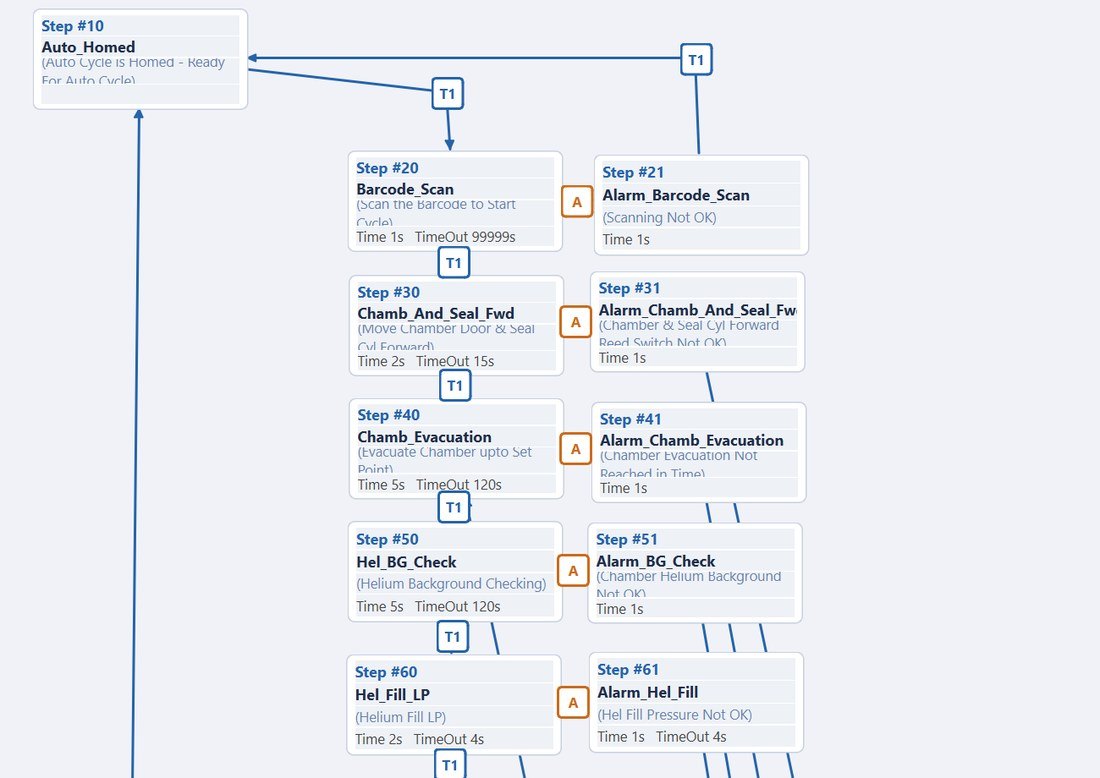
Graphical Ladder and Sequence designers, form-based wizards and auto-generators — Structured Text only when you want it.
Multi-vendor drivers
Allen-Bradley, Siemens S7, Mitsubishi, Modbus TCP/RTU, OPC UA, EtherNet/IP and more.
Online diagnosis
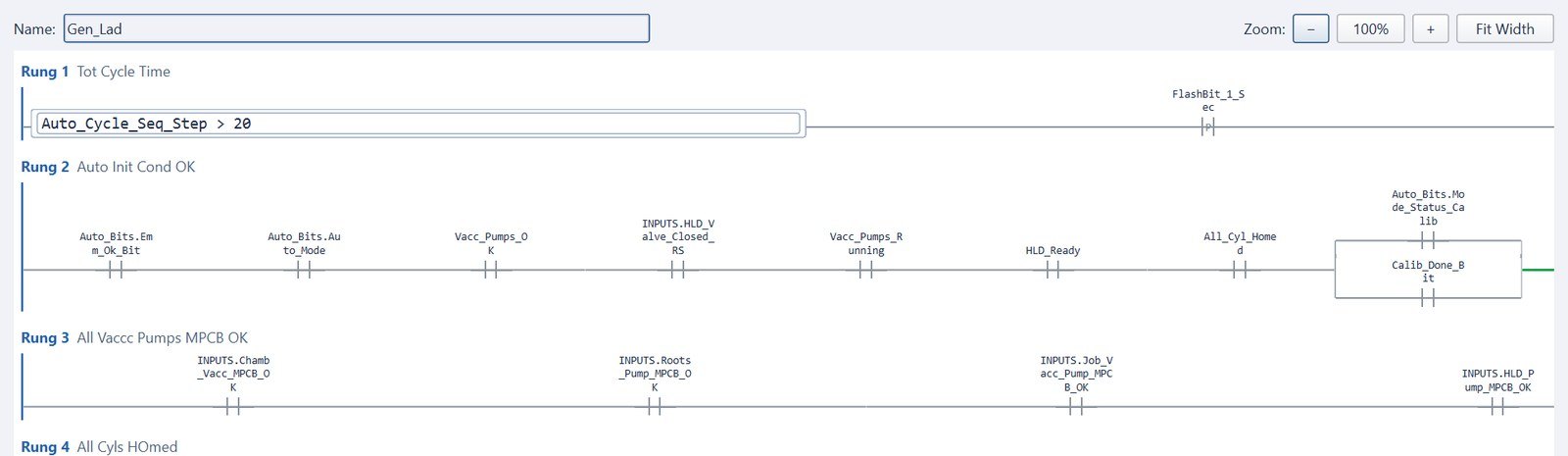
Live ladder, live sequence steps, logic and I/O diagnosis with watch window and forcing.
Data, recipes, reports
SQLite data logging, multi-profile recipes, tag-triggered PDF reports and SQL Server access.
Security built in
User groups, hashed passwords, and per-screen, per-dialog and per-widget authorisation.
Web & mobile viewer
Read-only live mirror of HMI screens in any browser or Android device on the network.
Open export path
Export logic to Studio 5000 (L5X) and TIA Portal (SCL); import existing L5X projects. Your logic is never locked in.
Program by configuring, not by coding.
Engineers fill in forms, draw diagrams and import spreadsheets — Logivyx writes the program. Faster engineering, fewer errors, projects any team member can maintain.
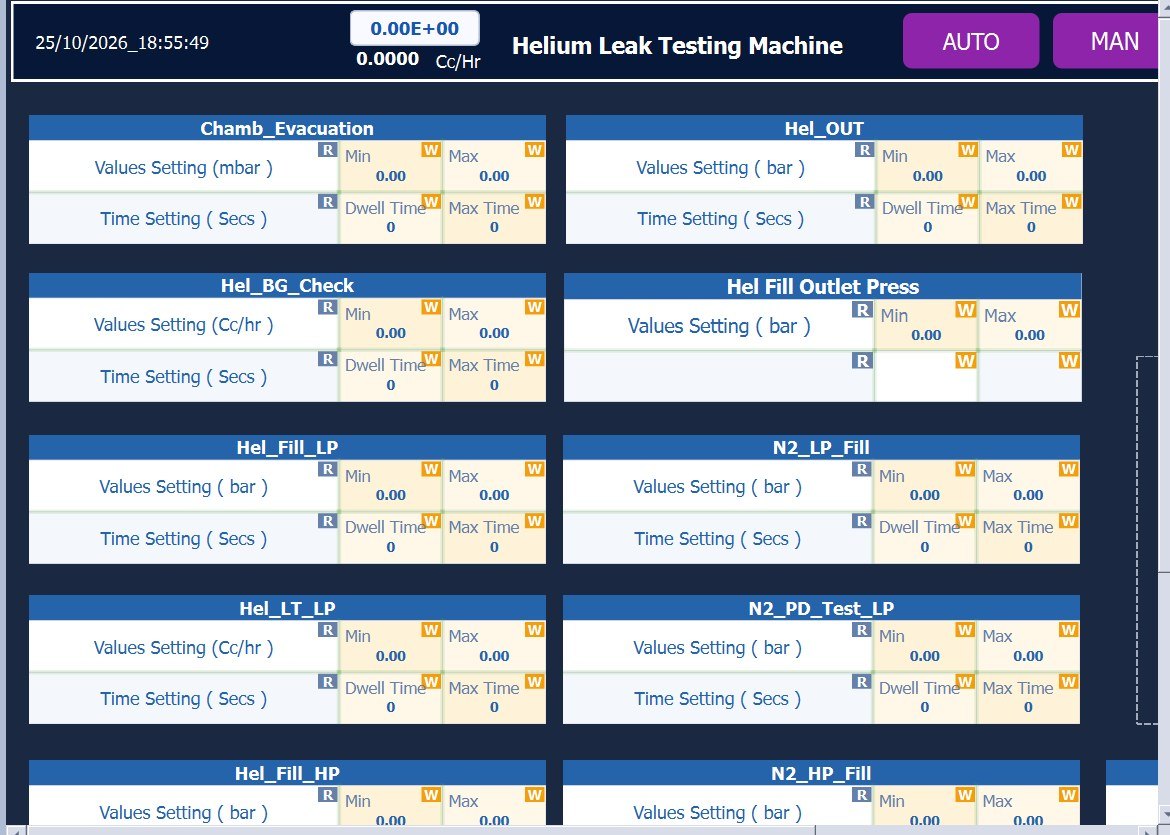
- ALAuto Alarms — define conditions in a table; the alarm routine and IDs are generated.
- SSAuto Settings Screens — one click creates a full settings screen per sequence.
- LDAuto Ladder Generator — output ladder from your sequence steps and command tags.
- ANAuto Analog Scaling — raw-to-engineering-unit scaling for every channel.
- DLAuto Data Logging & Recipes — profiles generated straight from the sequence.
See the machine think. Troubleshoot in minutes.
Trace a fault from the operator screen, through the sequence step, down to the ladder rung and the physical I/O — all live, all in one tool. No second laptop, no second software.
A neutral HMI for Mitsubishi, Siemens & Allen-Bradley.
Run Logivyx as a vendor-neutral HMI / SCADA on top of your installed PLCs. One HMI standard across a mixed plant — and the freedom to move control into the Soft PLC whenever you're ready.
How the neutral HMI works →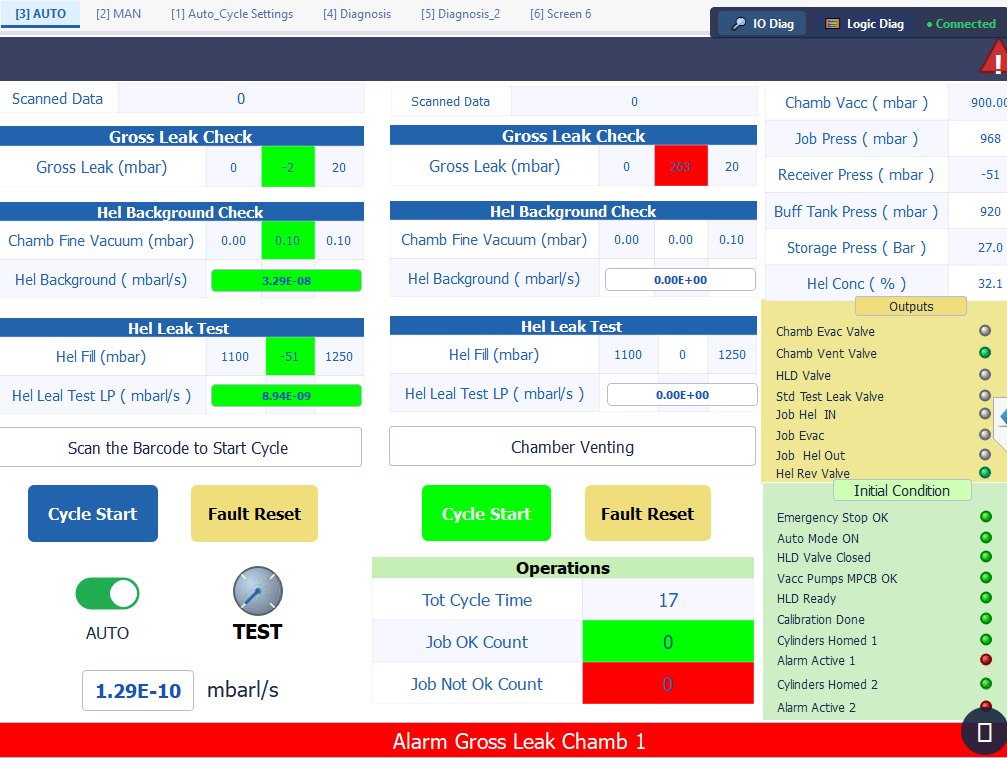
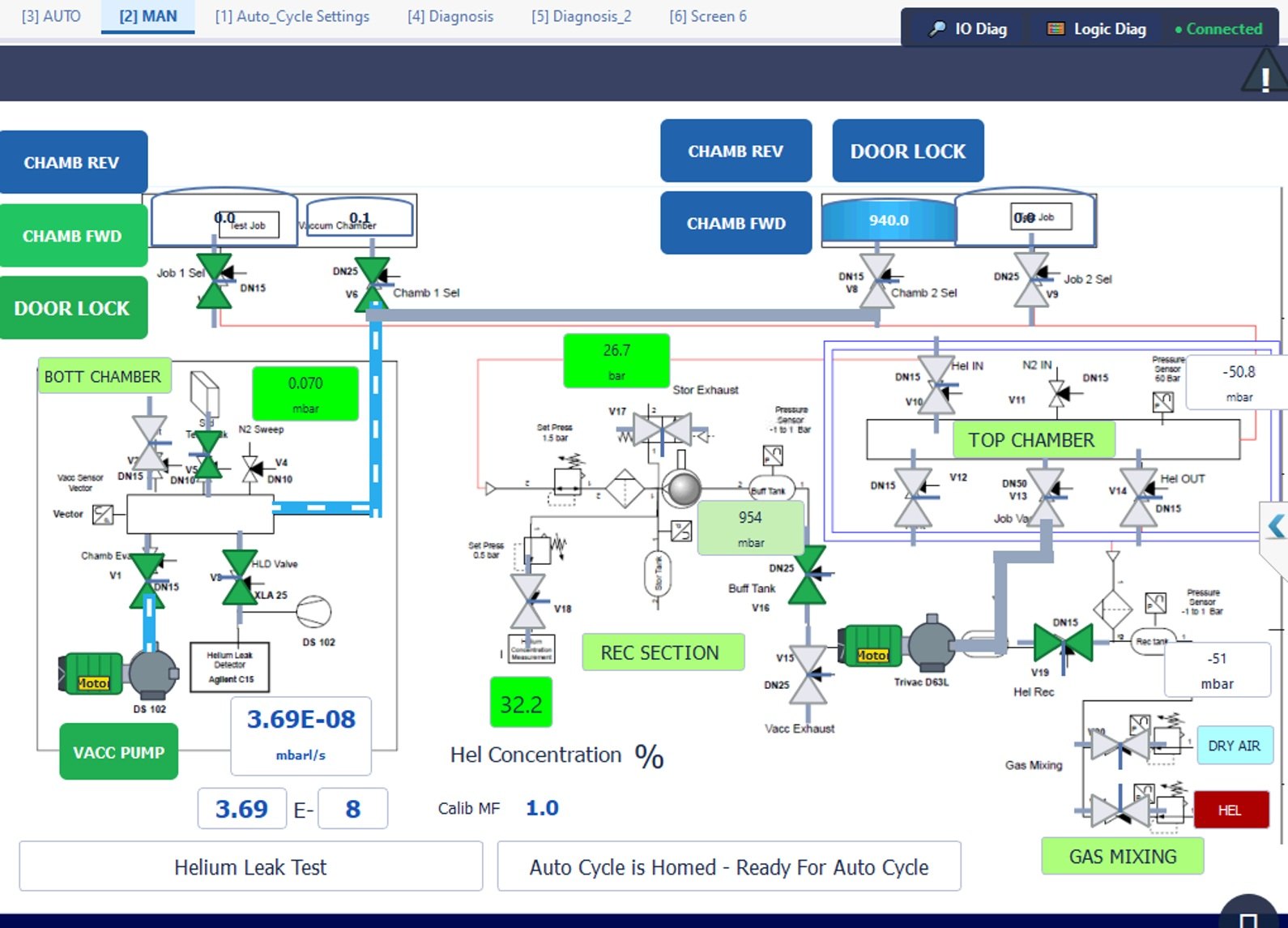
Helium leak testing machine — HMI and Soft PLC in one project.
Built and running on LSPL production leak-test machines: operator screens, P&ID process view, sequence-driven auto cycle, generated alarms and batch reports — on a single industrial panel PC.
Built for machine builders and system integrators.
See HMI + Soft PLC on one PC.
Design → Simulate → Deploy. We'll walk you through a live project in 30 minutes.